
Smarter Inputs. Faster Quotes.
Turn complex project materials into structured equipment lists, recommendations, and quotes — powered by AI.
Smart BOM Parsing
Support Excel, Word, and PDF BOMs to accelerate equipment identification and quoting.
Visual Topology Analysis
Assist device recognition and model selection from network topology images.
Expert Consultation
Access professional advice on ICT products, configurations, and solution design.
Frequently Asked Questions
Clear answers on speed, accuracy, and data security before you start quoting.
Quote AI is an intelligent quoting assistant designed to help users quickly create and refine draft ICT quotations.
It allows you to start with different types of input, including:
- Product models, SKUs, and quantities
- Uploaded or pasted BOM files
- Natural-language project descriptions
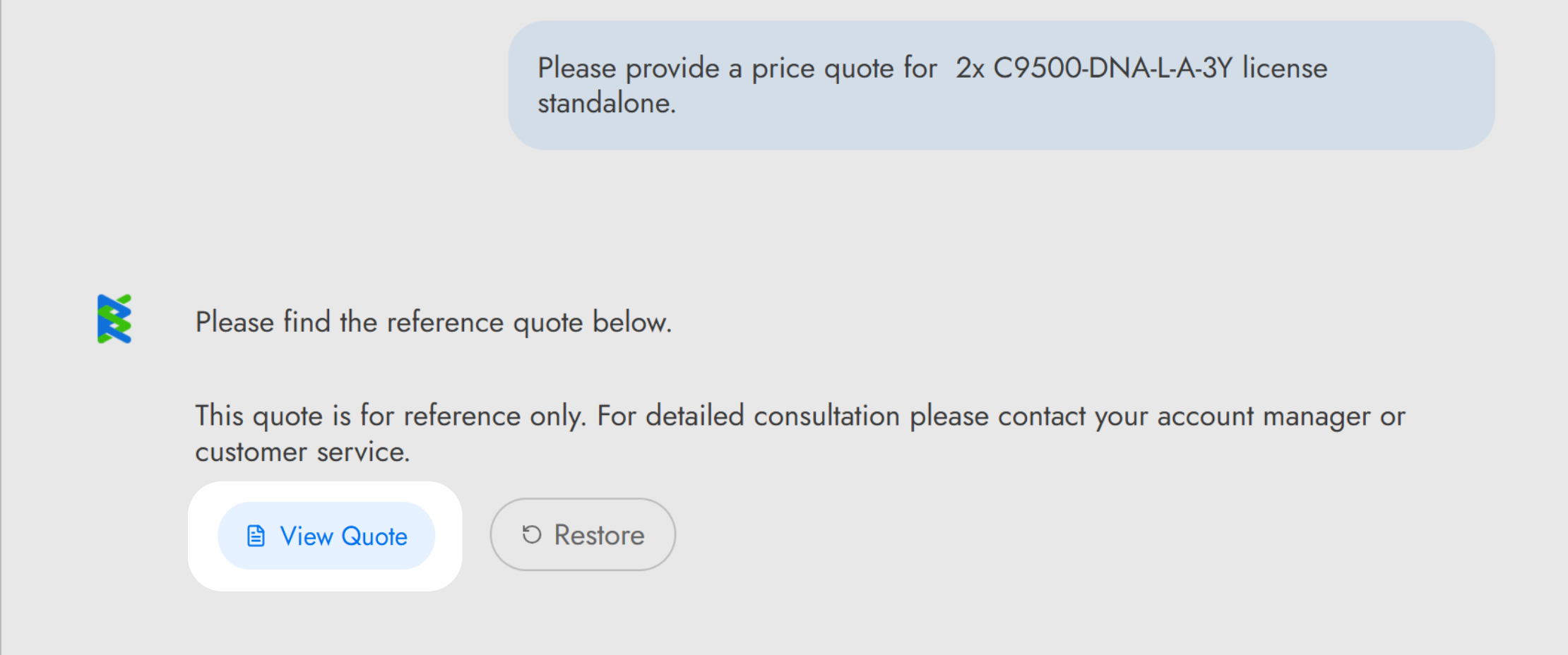
Based on the information provided, Quote AI automatically generates a structured draft quotation that can be reviewed, adjusted, and refined through follow-up interaction:
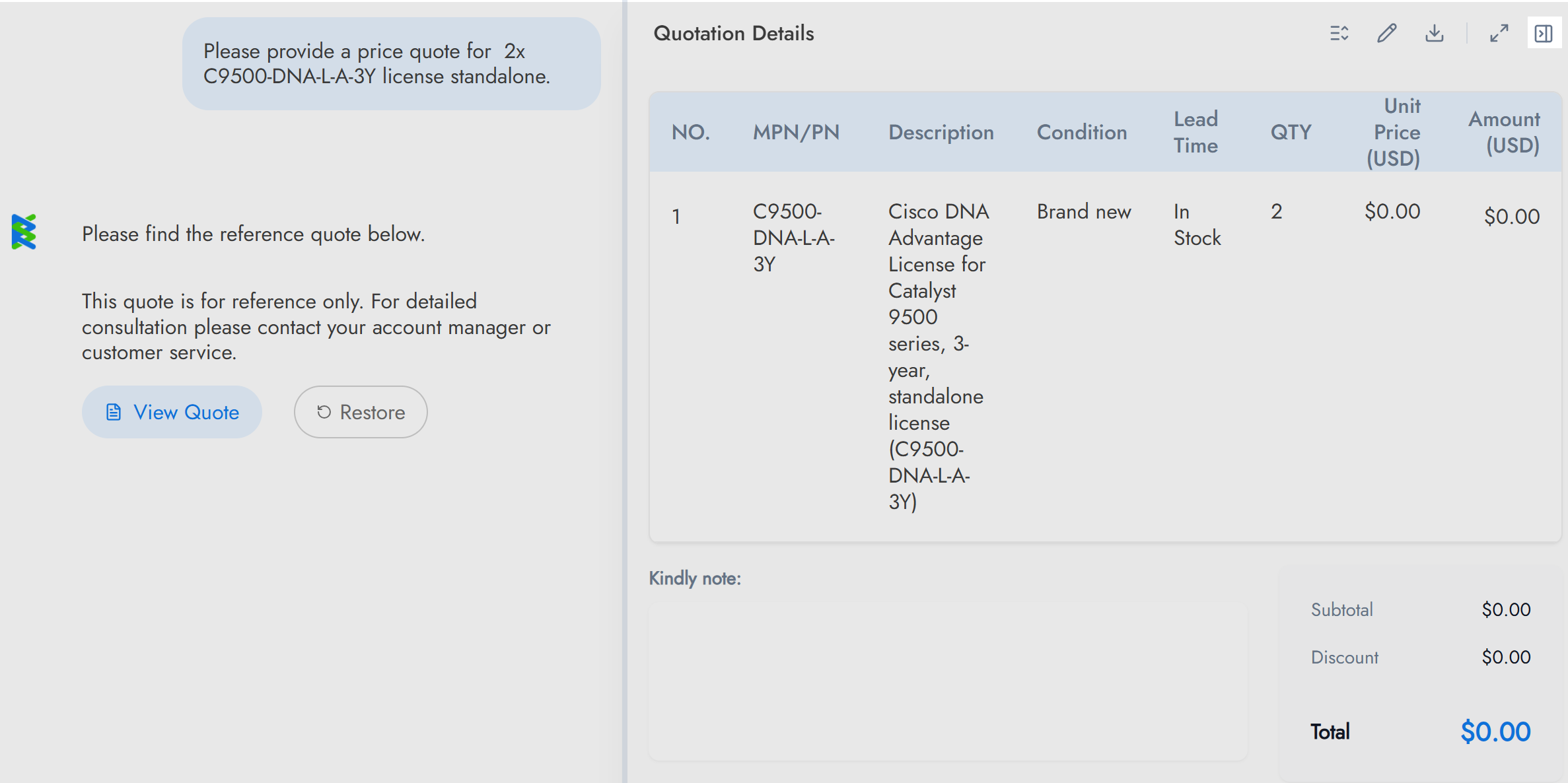
Click “View Quote” to see the generated quote details.
Click the icon to hide the quotation table if it’s not needed.
Yes. Quote AI generates a draft quotation that can be reviewed and refined. If the initial result doesn’t meet your needs, you can:
1. Adjust Product Parameters
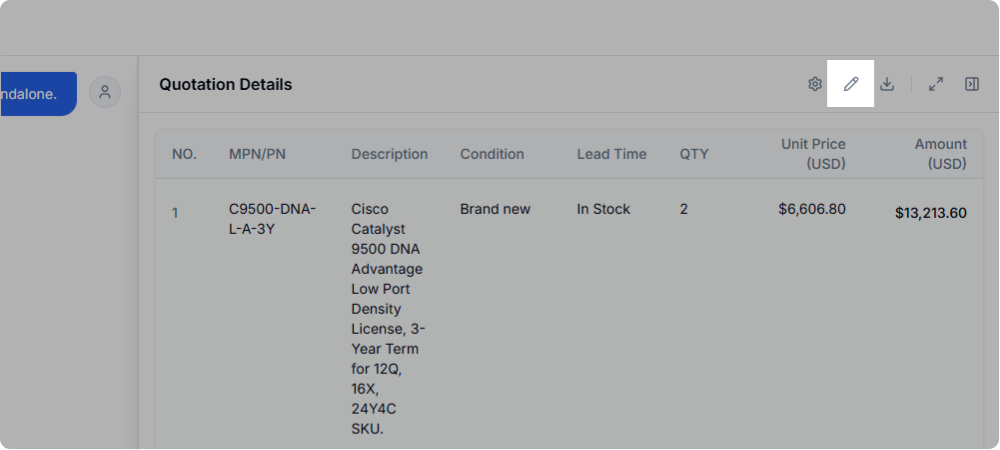
Step 1: Click this icon to edit the table contents and adjust your product parameters.
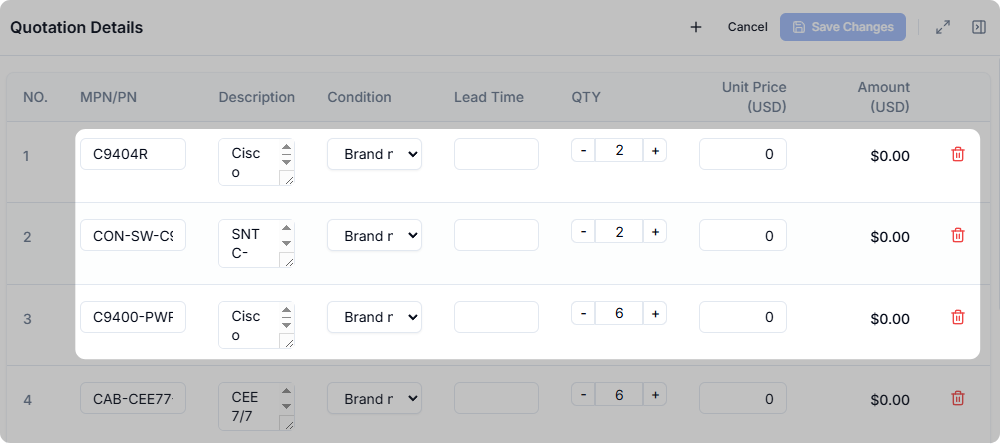
Step 2: Adjust fields such as model, brand, and quantity here. Save your changes to regenerate the table.
2. Adjust Table Header Layout
Step 1: Click this icon to adjust table columns.
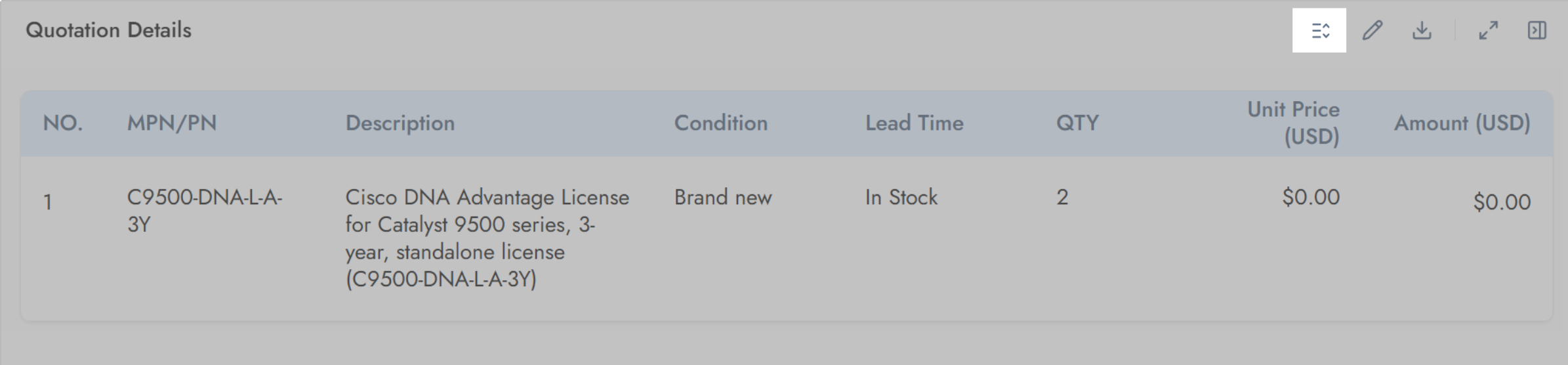
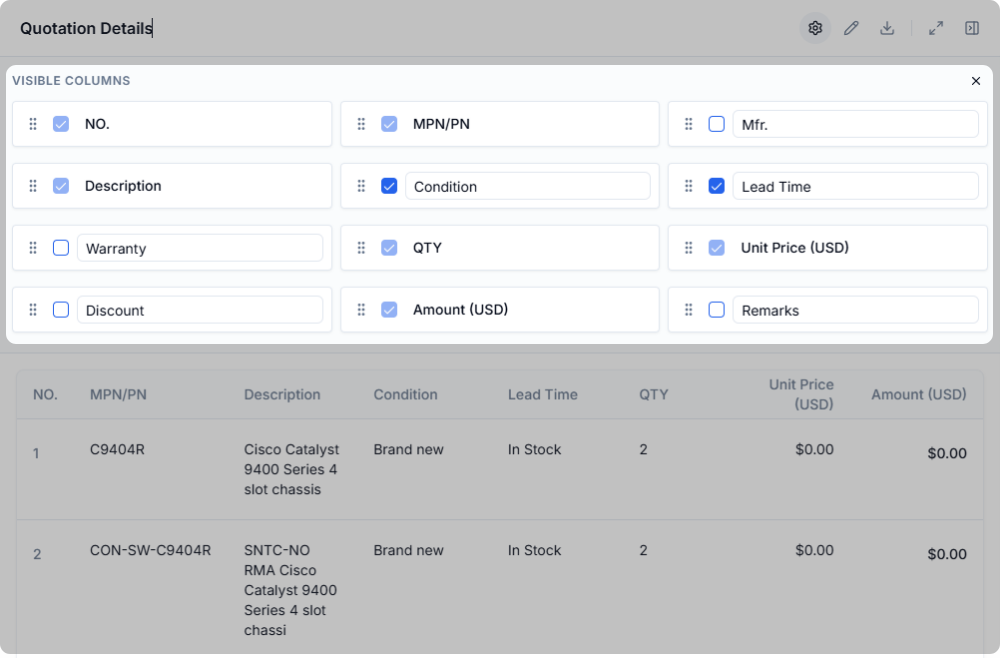
Step 2: Use this area to configure the table header layout.
- (1) Drag fields to adjust the display order of table headers.
- (2) Click the multi-select icon next to each field to show or hide table headers. (Some required headers cannot be hidden.)
3. Adjust Display Ratio and View Mode
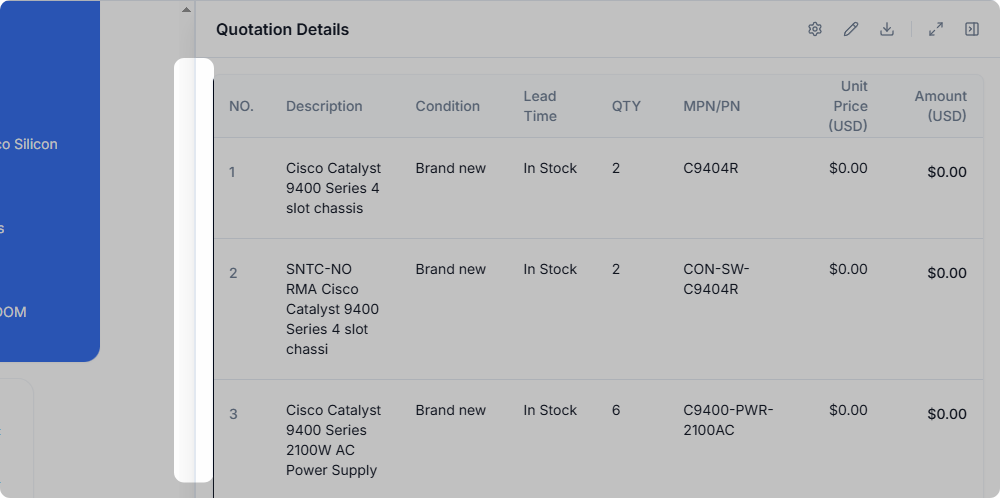
If you need to adjust the display ratio, drag left or right to resize the conversation and table areas.
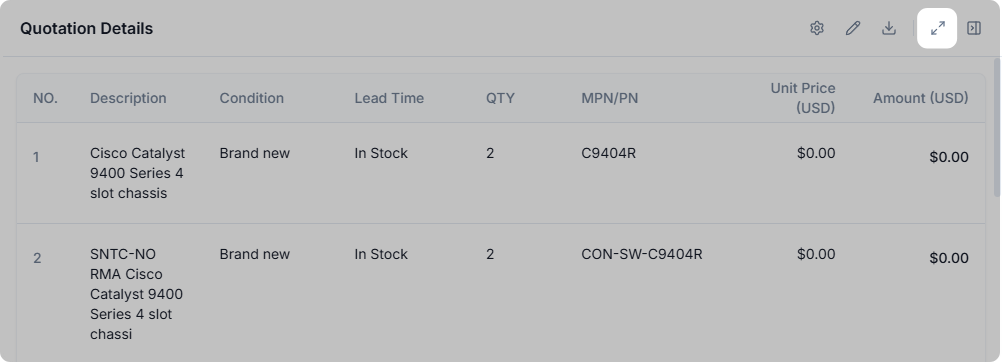
If you want a full-screen view for focused review and adjustment, click this icon. Click again to return to the normal view.
4. Download the Table
Once everything is set, click this icon to download the table.
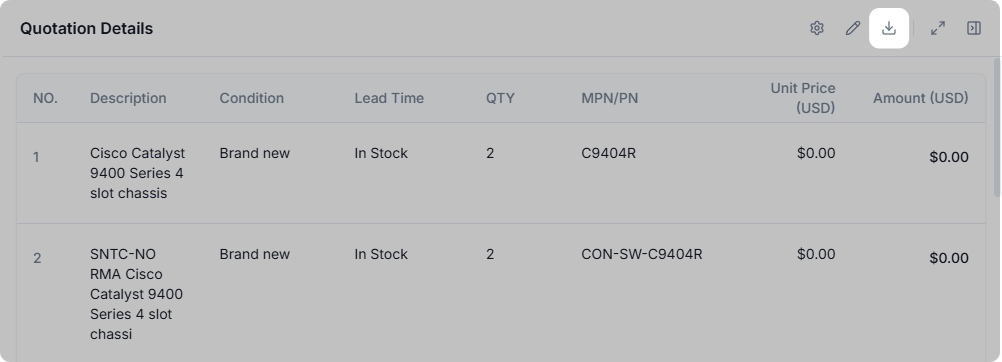
Most new sales users can generate a review-ready draft quotation within minutes. Quote AI is designed to guide users through the quoting process step by step, reducing reliance on prior product or pricing experience.
With basic product inputs or a BOM, new users can quickly produce a structured quote that can be reviewed and refined.
Quote AI applies a structured logic specifically for product pricing to ensure consistency and reliability.
1. Primary source:
The AI prioritizes retrieving publicly available GPL (Global Price List) or official list price information from online sources.
2. Secondary source:
If no current GPL or list price is available, the AI references historical product pricing data from its internal knowledge base.
3. Fallback search:
- a. “[Product Model] GPL”
- b. “[Product Model] list price”
- c. “[Product Model] MSRP”
Fallback rules
- The most recent publicly available GPL, list price, or MSRP may be used as a reference.
- If reliable product pricing cannot be obtained, the AI will clearly notify the user instead of generating an estimate.
Quote AI includes a secondary validation mechanism to help ensure logical consistency and accuracy when handling complex product pricing scenarios. This validation step helps:
- Validate pricing logic across multiple product conditions.
- Reduce inconsistent or contradictory pricing outputs.
- Improve reliability when applying complex pricing rules.
Quote AI is a vertical AI CPQ application built on top of large language models. While general-purpose LLMs perform well in broad knowledge and open-ended conversations, they are not optimized for CPQ accuracy in specialized domains.
RS Quote AI focuses specifically on quoting and configuration scenarios, enabling higher accuracy and consistency in CPQ-related outputs compared to generic LLMs.
Quote AI provides a more intelligent and flexible approach compared to traditional rule-driven CPQ systems.
Traditional CPQ solutions often require:
- Predefined rules.
- Complex configurations.
- A certain level of technical expertise to maintain.
In contrast, Quote AI allows users to:
- Configure and refine quotations through multi-turn AI-driven conversations.
- Achieve accurate quoting without deep technical or configuration knowledge.
- Reduce setup complexity while maintaining precision.
No. Customer information and sensitive pricing data are not used to train models for other companies.
Data provided during usage is handled in accordance with applicable data protection and security standards, and is used only to support the quoting process.